The Price of Convenience: What Public WiFi Is Really Costing You
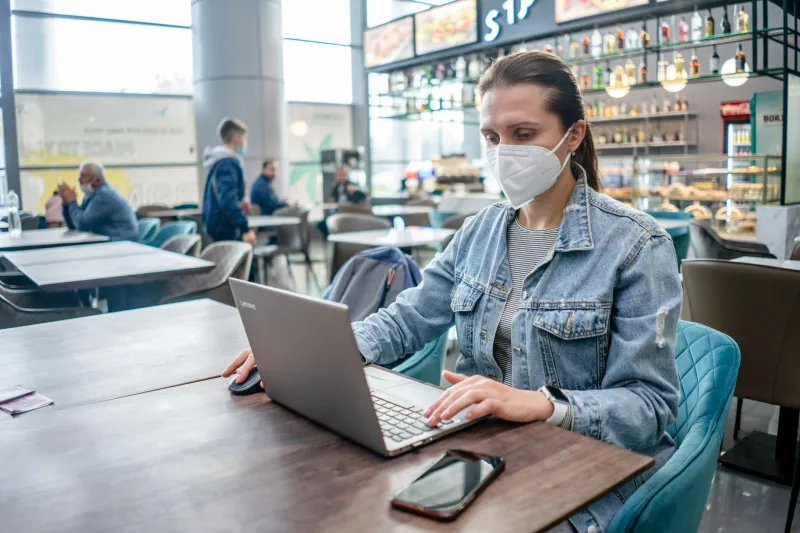
There is a particular ritual familiar to tens of millions of Americans. You settle into a booth at your favorite coffee shop, open your laptop, and without much deliberation, connect to the establishment's open WiFi network. Perhaps you check your bank balance, respond to a work email, or log into a healthcare portal. It feels routine. It feels harmless. In reality, it may be neither.
Public WiFi remains one of the most widely used — and widely misunderstood — conveniences in American digital life. According to cybersecurity researchers, a significant portion of consumers acknowledge awareness of the risks associated with unsecured networks yet connect to them anyway. The gap between knowing and doing is where most of the damage occurs.
Why Public Networks Are Structurally Vulnerable
To understand the risk, it helps to understand what an open WiFi network actually is. When a business provides free WiFi without requiring a password — or with a single shared password posted on a chalkboard — every device connected to that network exists, in a meaningful sense, on the same digital street. Unlike a secured home or business network, public access points typically lack the encryption and access controls that separate one user's traffic from another's.
This creates an environment where a technique known as a "man-in-the-middle" attack becomes relatively straightforward for even a moderately skilled adversary. In such a scenario, a malicious actor positions themselves between your device and the network's router, intercepting data packets as they travel back and forth. Login credentials, session tokens, and form submissions can all be captured in transit.
Equally concerning is the practice of setting up rogue access points — fraudulent networks deliberately named to mimic legitimate ones. A network labeled "CoffeeShop_Free" or "AirportWiFi_Guest" may belong to an attacker rather than the establishment. Your device, trained to seek familiar network names, may connect automatically.
The Behaviors That Put You at Risk
Cybersecurity professionals frequently note that the most dangerous moment on a public network is not when a user does something obviously reckless. It is when they do something that feels ordinary.
Checking a work email on a corporate server. Logging into a banking app to verify a transaction. Filling out an online form that includes your Social Security number or date of birth. These are not careless actions in isolation. On an unsecured public network, however, they become opportunities for exposure.
Auto-connect features on smartphones and laptops compound the problem. Many devices are configured to join previously visited networks automatically, meaning a user may not even realize they have connected to a public network — or a malicious duplicate of one — until after sensitive activity has already occurred.
What Adequate Protection Actually Looks Like
The good news is that protecting yourself on public networks does not require advanced technical knowledge. It requires consistent habits.
Use a Virtual Private Network (VPN). A reputable VPN service encrypts your internet traffic before it leaves your device, making intercepted data effectively unreadable to outside parties. This is the single most impactful step an individual user can take. Both paid and free options exist, though paid services generally offer stronger privacy policies and more reliable performance.
Verify the network before connecting. Ask a staff member for the exact name of the establishment's official WiFi network before joining. If a network name looks slightly off — an extra letter, an unusual suffix — treat it with suspicion.
Disable auto-connect. On both iOS and Android devices, as well as Windows and macOS, you can disable the feature that automatically joins known networks. This small friction point gives you a moment of intentionality before connecting.
Stick to HTTPS. Modern browsers flag non-HTTPS connections, and for good reason. Sites using HTTPS encrypt the data exchanged between your browser and the server. While this does not make public WiFi safe in all respects, it adds a meaningful layer of protection for web-based activity.
Avoid sensitive transactions. When possible, defer banking, medical portal access, and corporate logins until you are on a trusted, secured network. The inconvenience of waiting is minor compared to the consequences of a compromised account.
Turn off file sharing. Both Windows and macOS offer network discovery and file sharing settings that should be disabled when connecting to any public network. These features, designed for home or office environments, can inadvertently expose your files to other users on a shared network.
The Broader Picture: Why Home Connectivity Matters More Than Ever
The prevalence of public WiFi risk is, in part, a symptom of a larger infrastructure challenge. When home internet service is unreliable, slow, or prohibitively expensive — a reality still faced by millions of Americans, particularly in rural and underserved communities — individuals are more likely to rely on public networks for essential tasks. The less dependable your home connection, the more time you spend on networks you do not control.
This is not merely a personal inconvenience. It is a structural vulnerability at the community level. Remote workers, small business owners, students, and healthcare patients who lack access to secure, high-speed home connectivity are disproportionately exposed to the risks described above. Addressing that gap — through better infrastructure, more equitable service, and genuine broadband expansion — is not just a quality-of-life issue. It is a digital security issue.
At OA Internet Services, our commitment to delivering reliable, secure connectivity across the country is grounded in exactly this understanding. A dependable home or business connection is not a luxury. It is the foundation upon which safe digital participation is built.
Developing a Security Posture, Not Just a Checklist
The most resilient approach to public WiFi security is not a one-time configuration. It is an ongoing posture — a set of habits and assumptions that travel with you.
That posture begins with a simple premise: any network you did not set up yourself and do not control should be treated as potentially hostile. That is not paranoia. That is an accurate description of the technical reality. From that baseline, the protective steps outlined above follow naturally.
Convenience is a powerful force. The coffee shop connection will always feel easier than waiting. But the cost of that convenience, when measured against compromised credentials, exposed financial data, or a breached work account, is rarely worth it. Understanding that trade-off — and making a deliberate choice rather than a reflexive one — is the first step toward genuinely safer digital behavior.